Game Overview
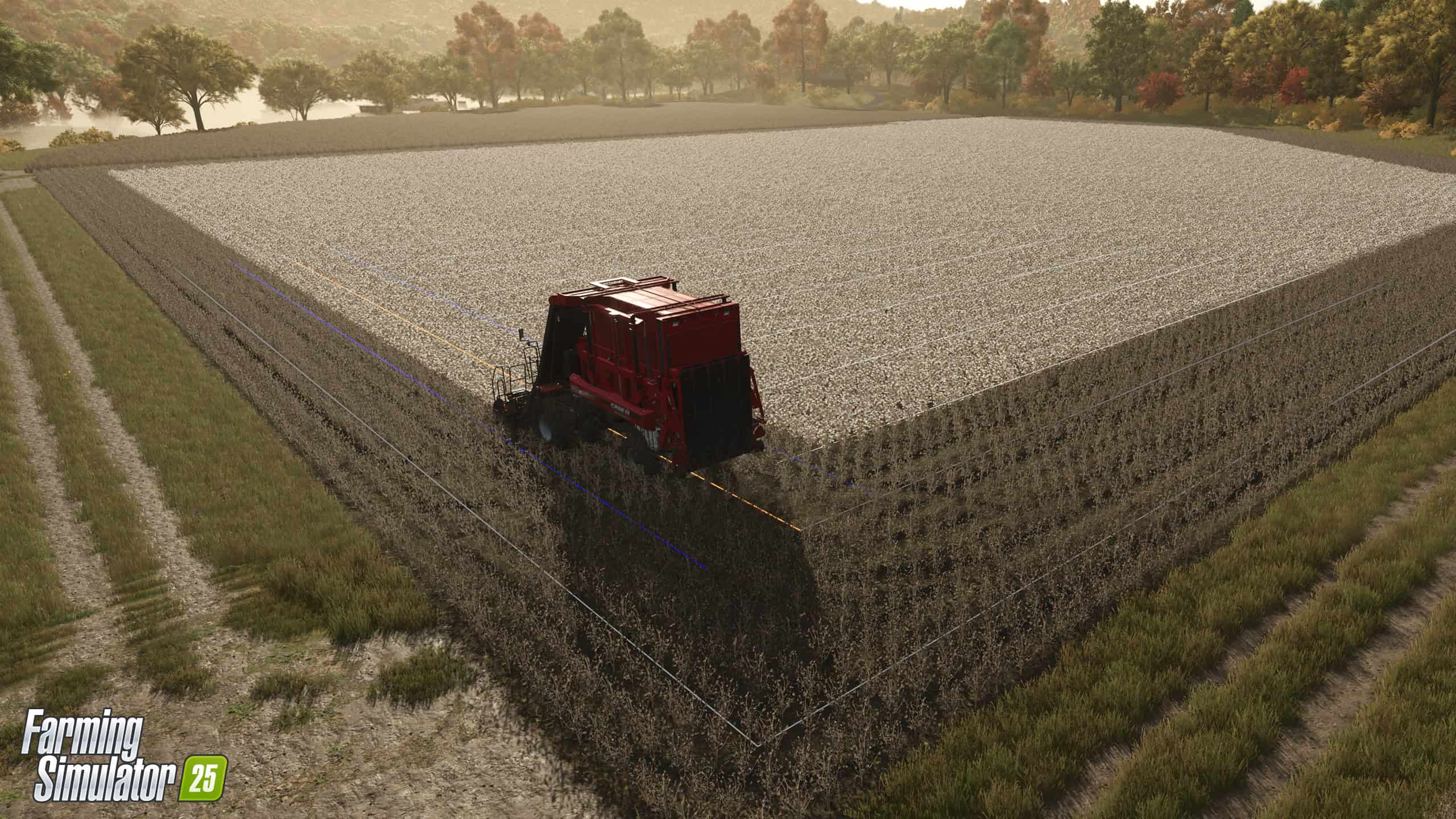
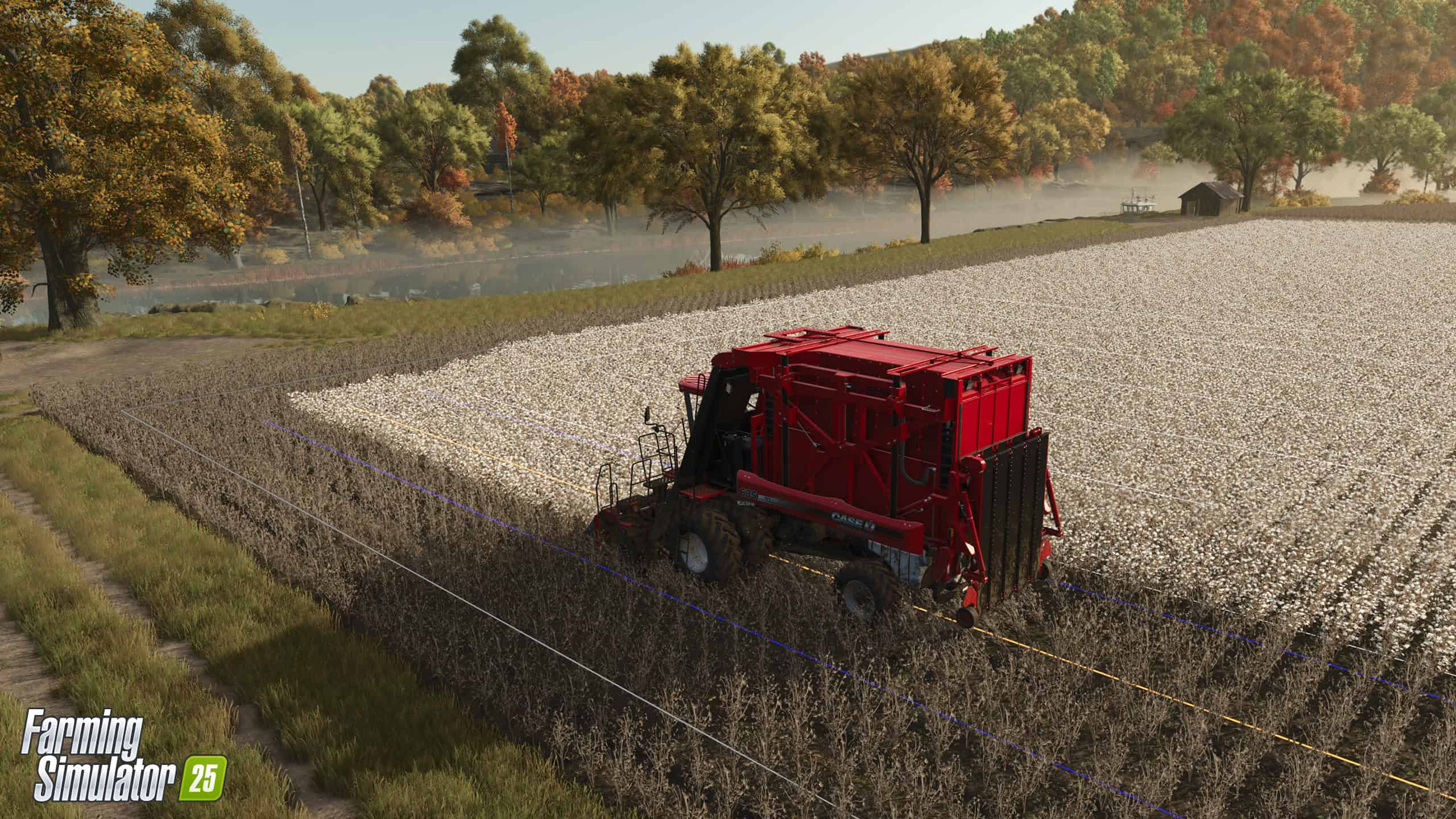
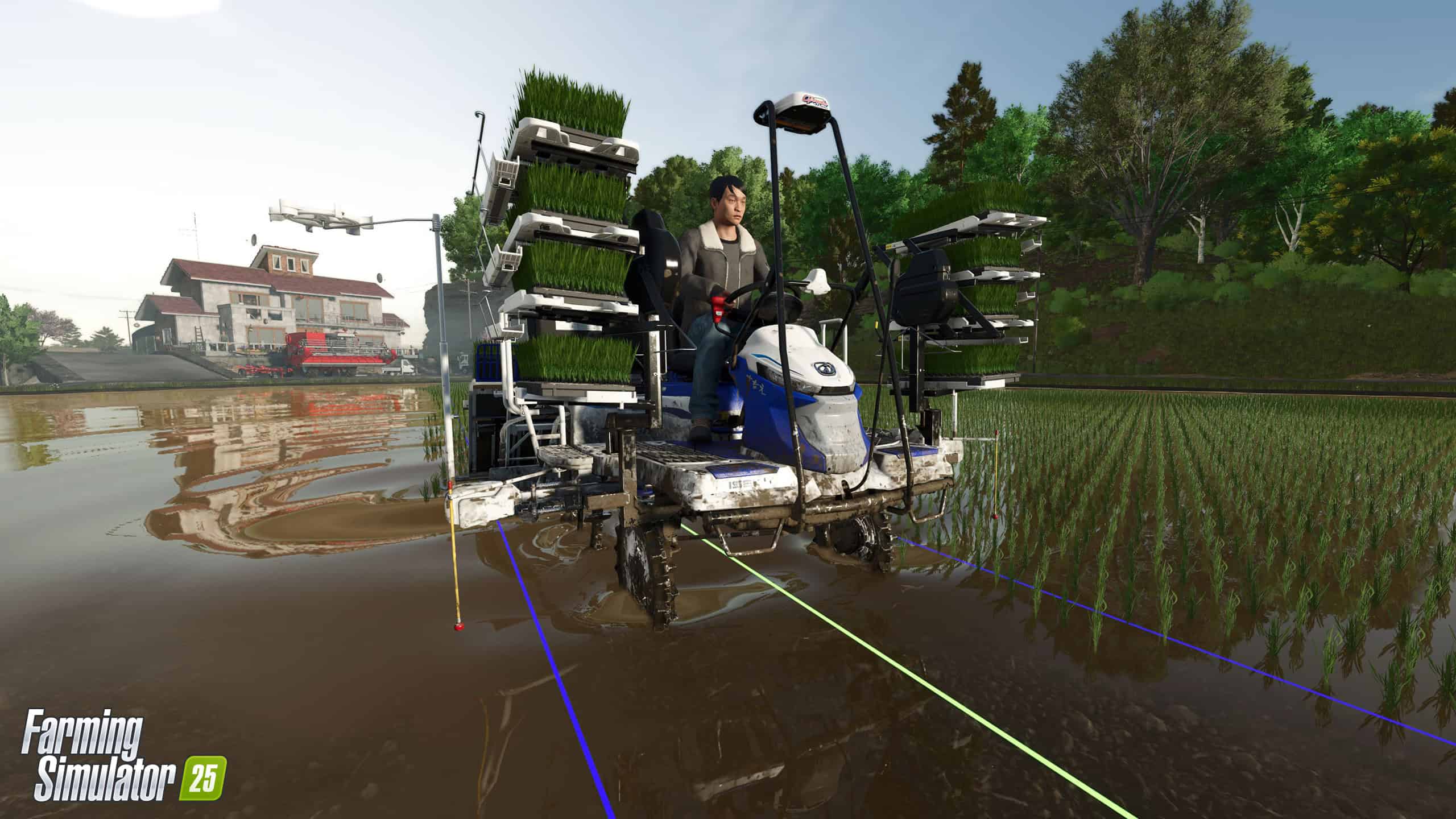
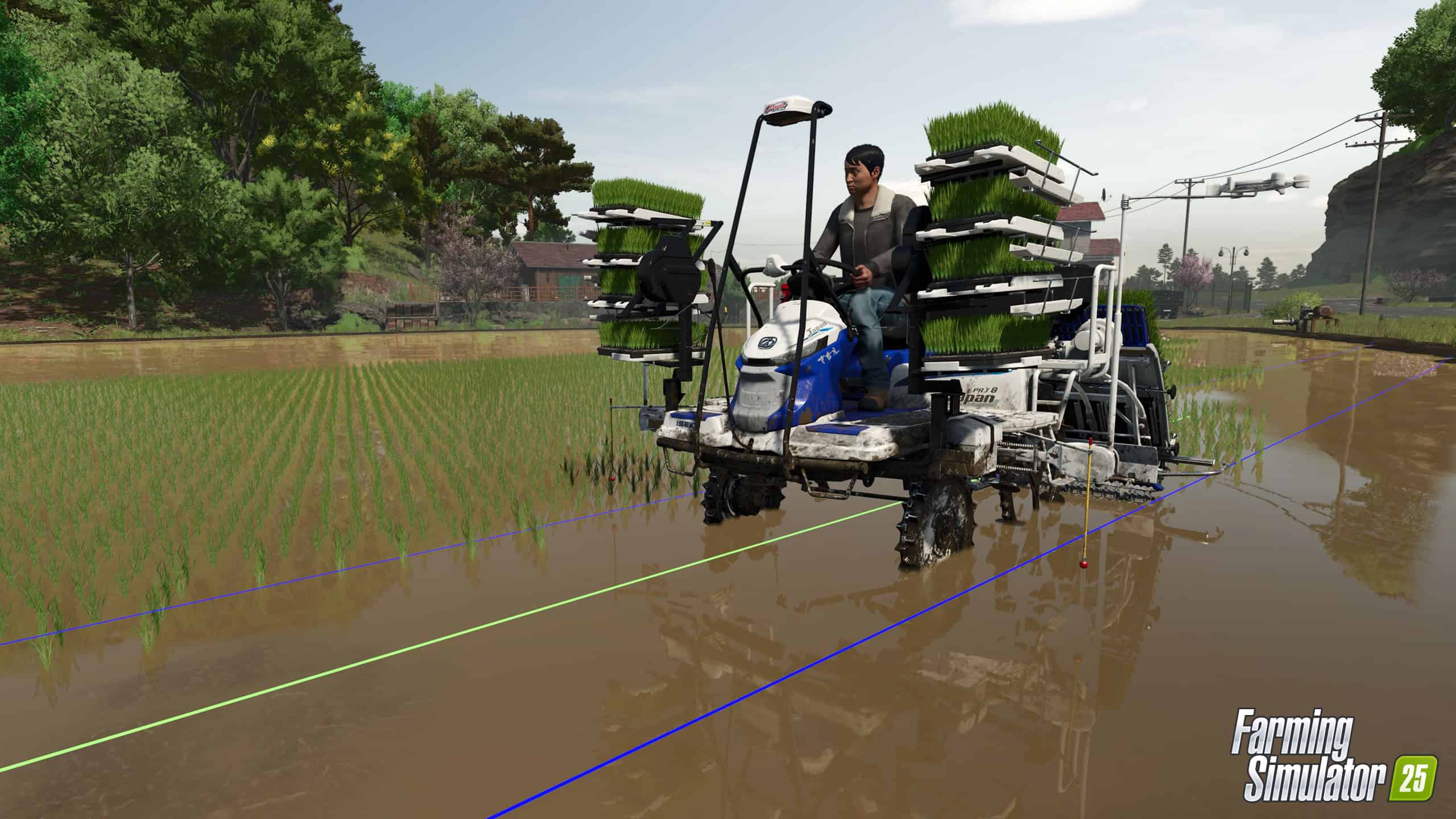
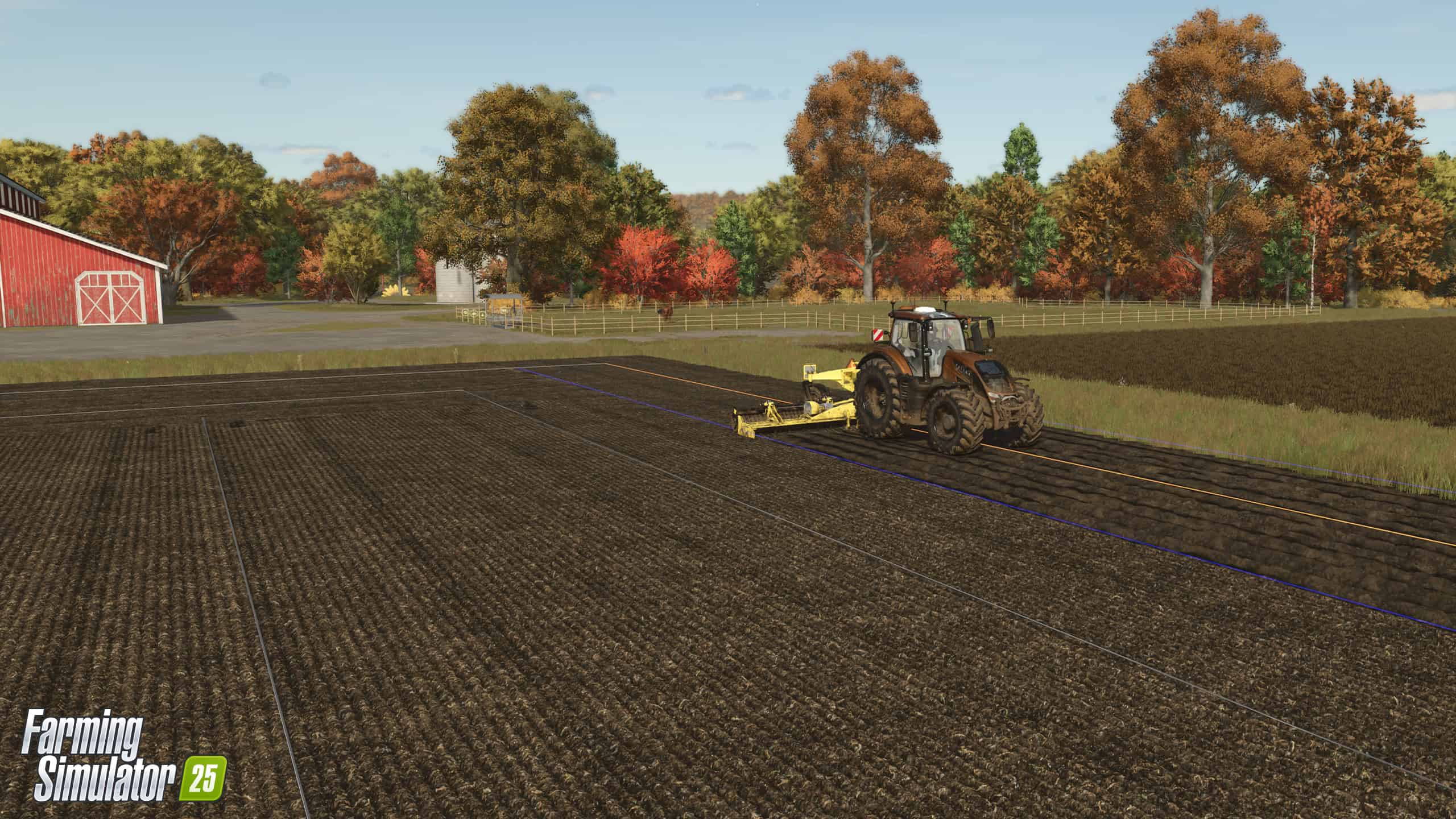
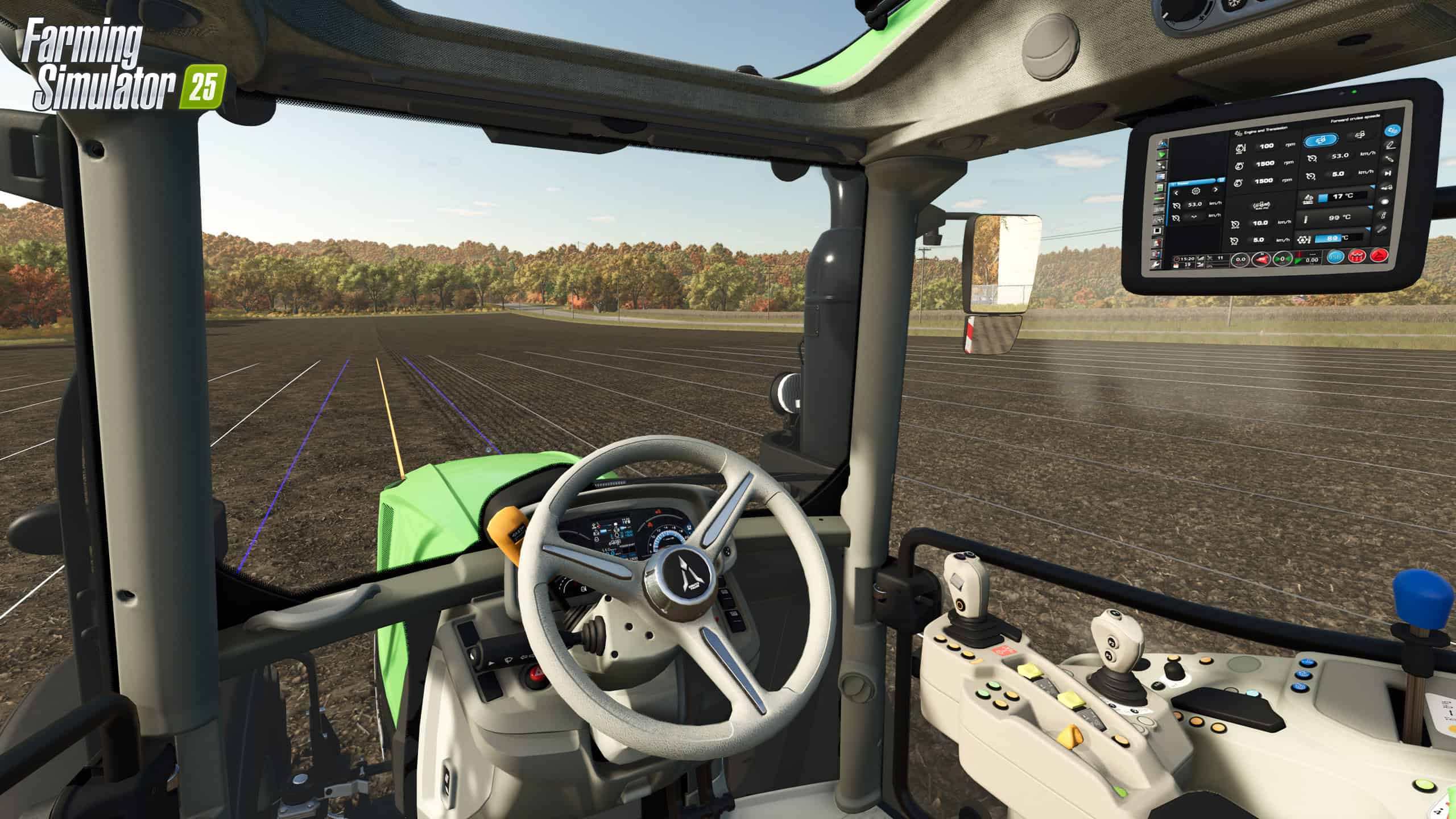
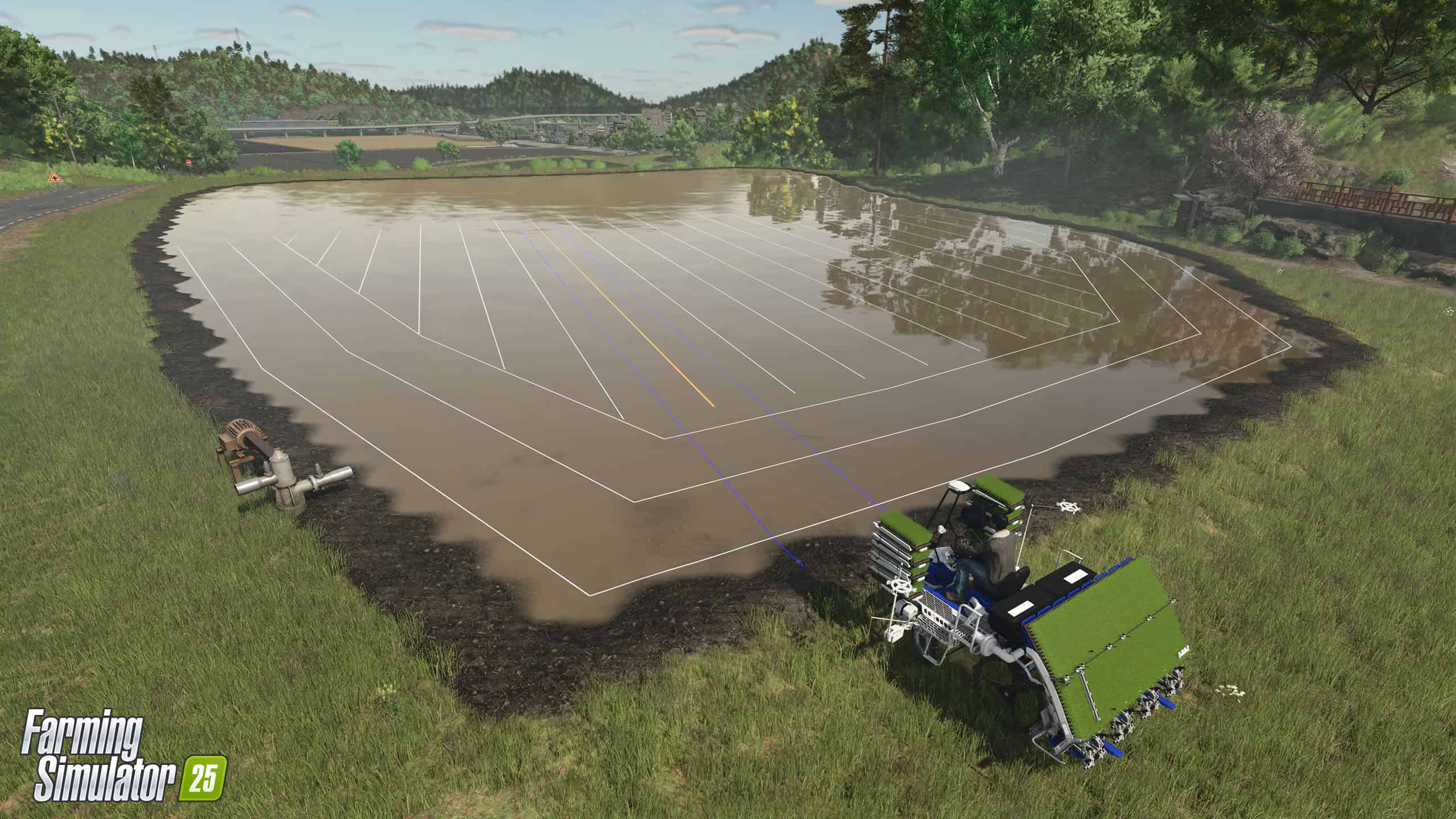
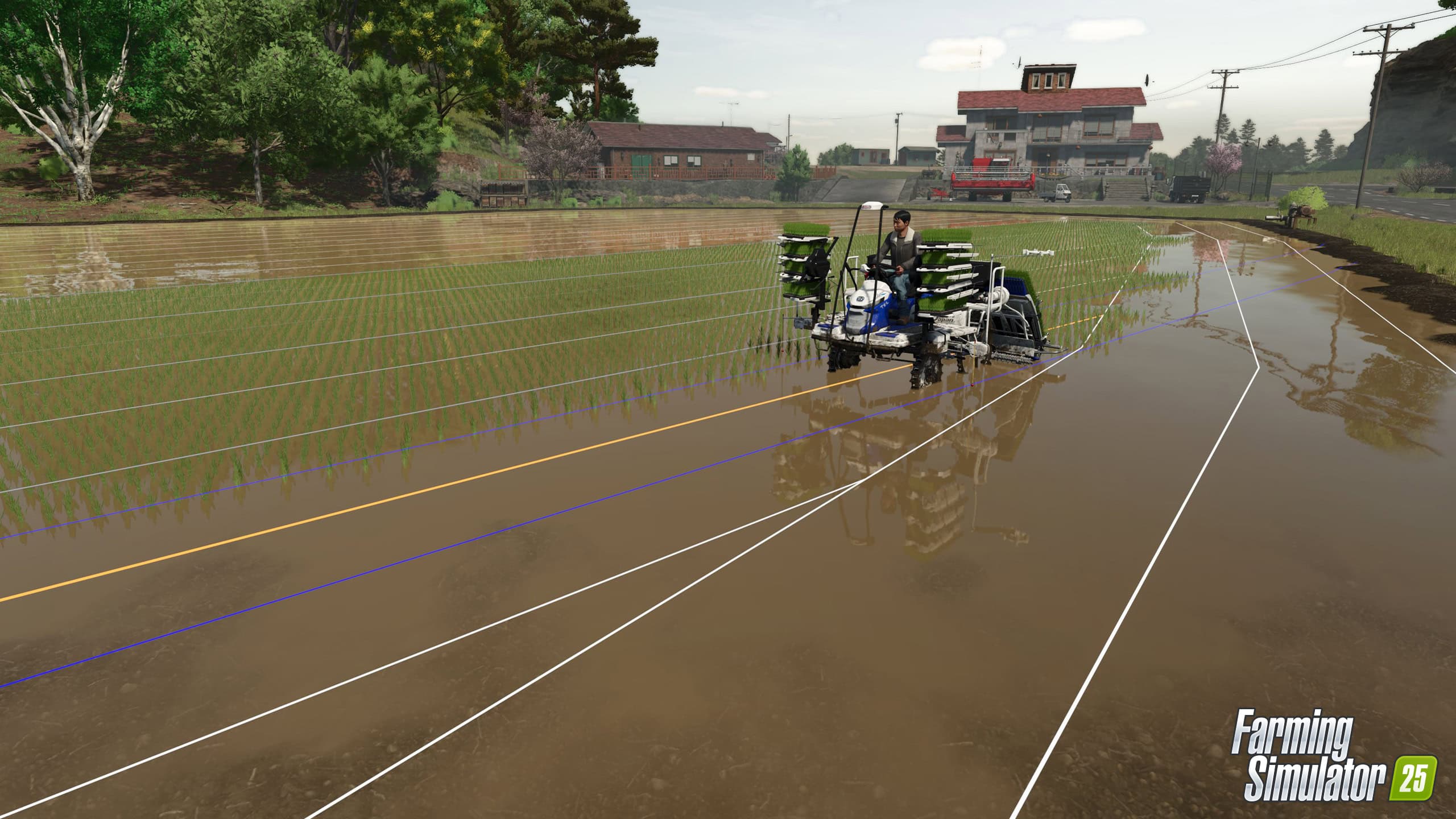
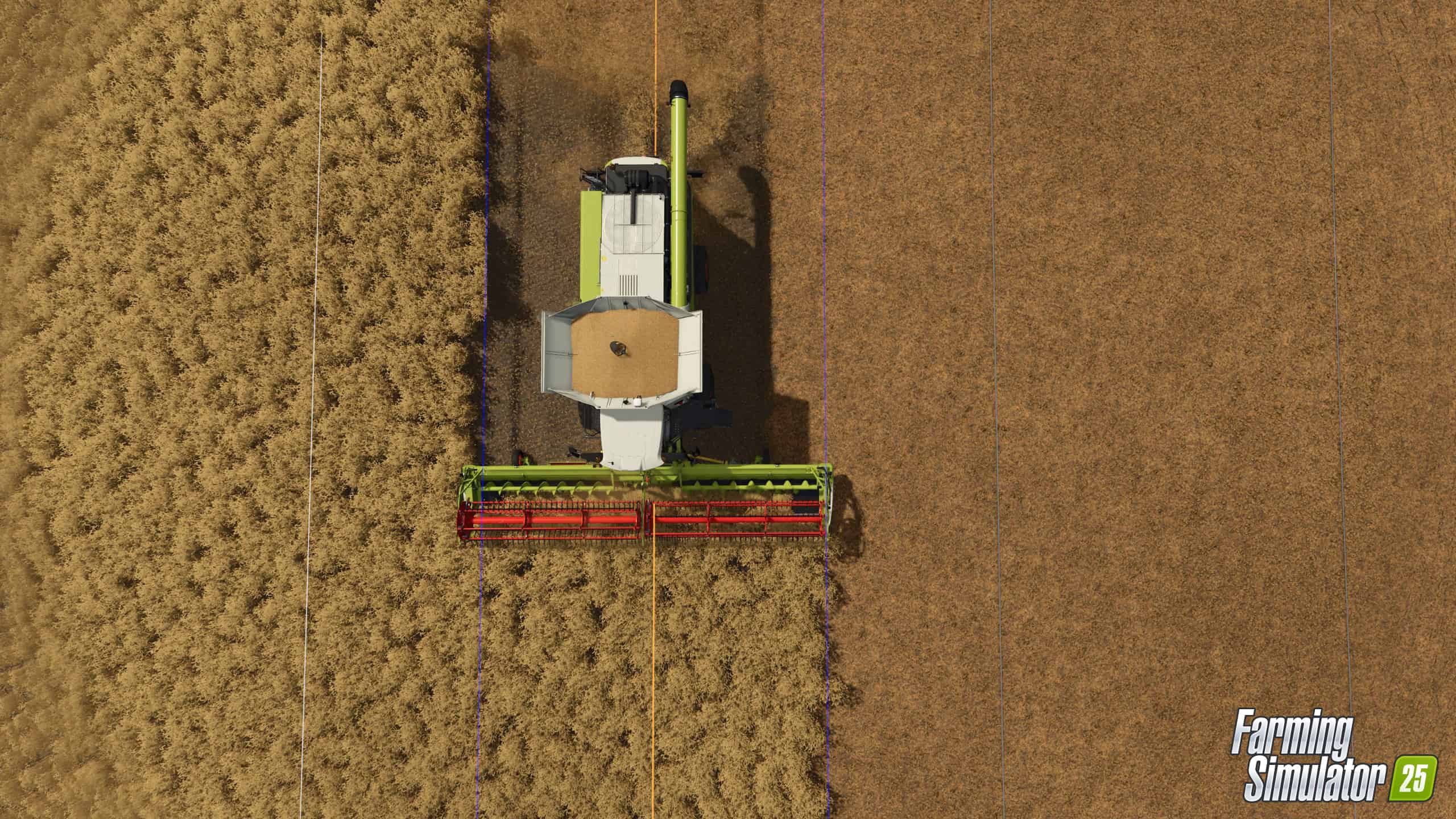
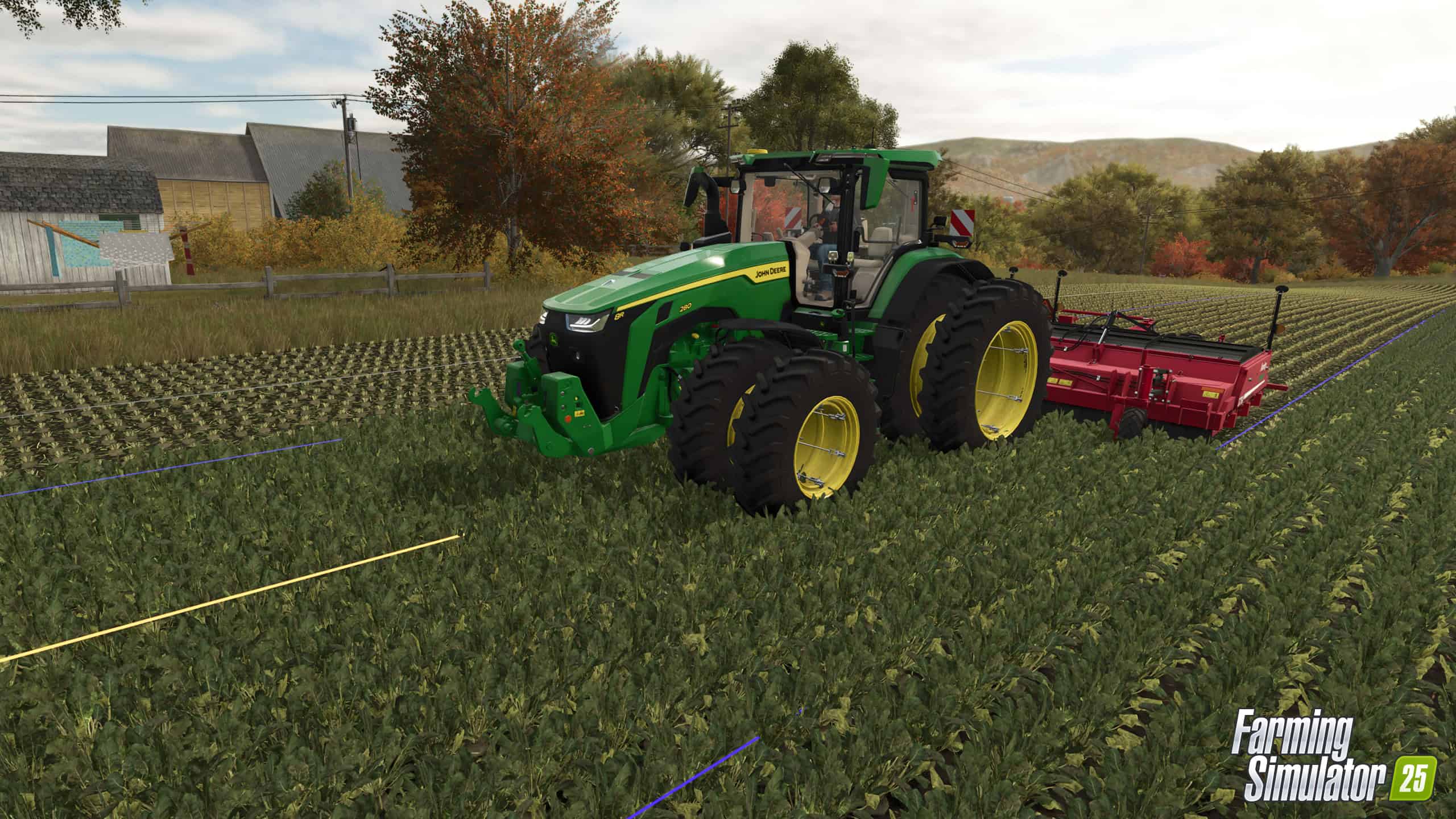
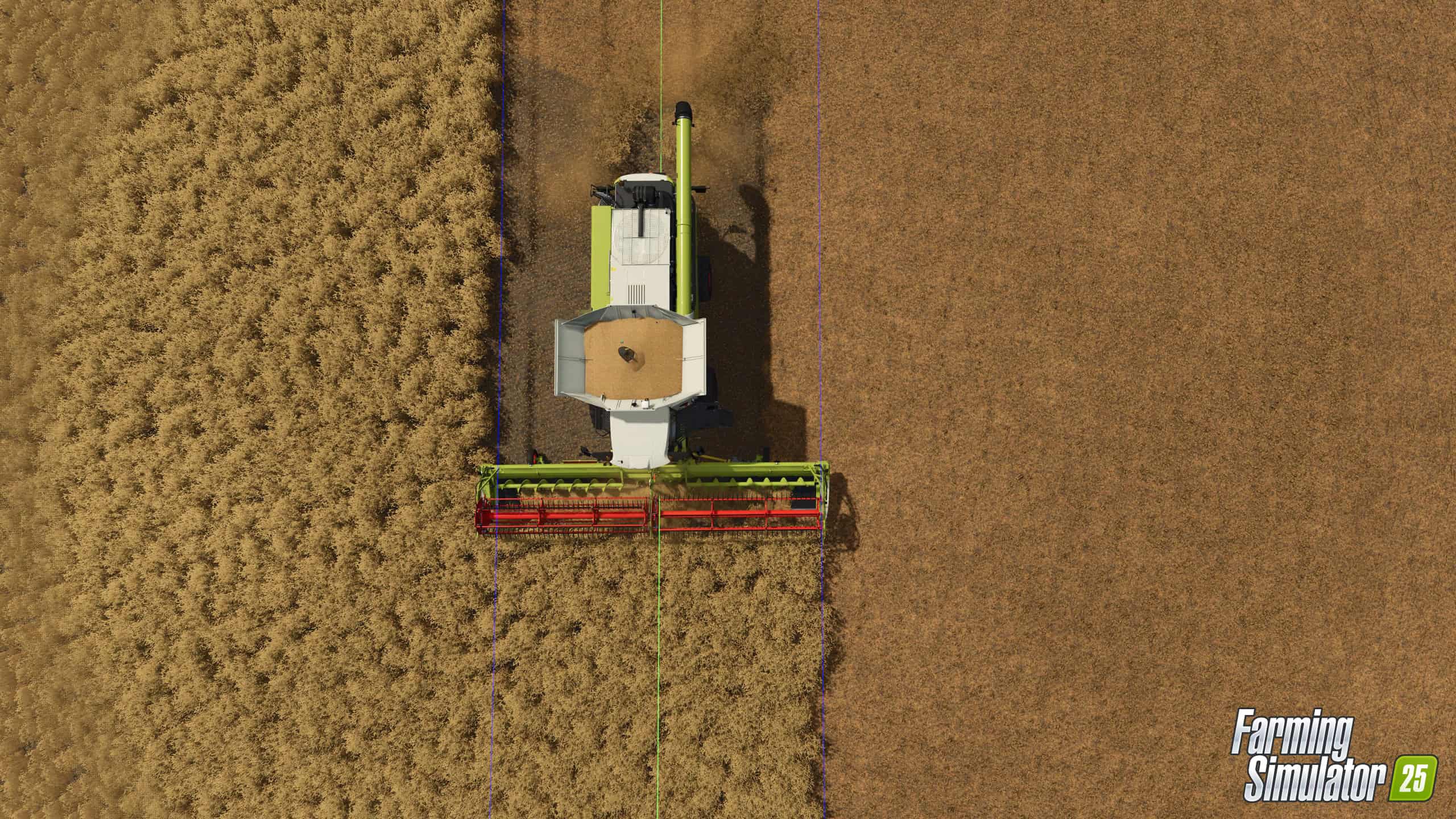
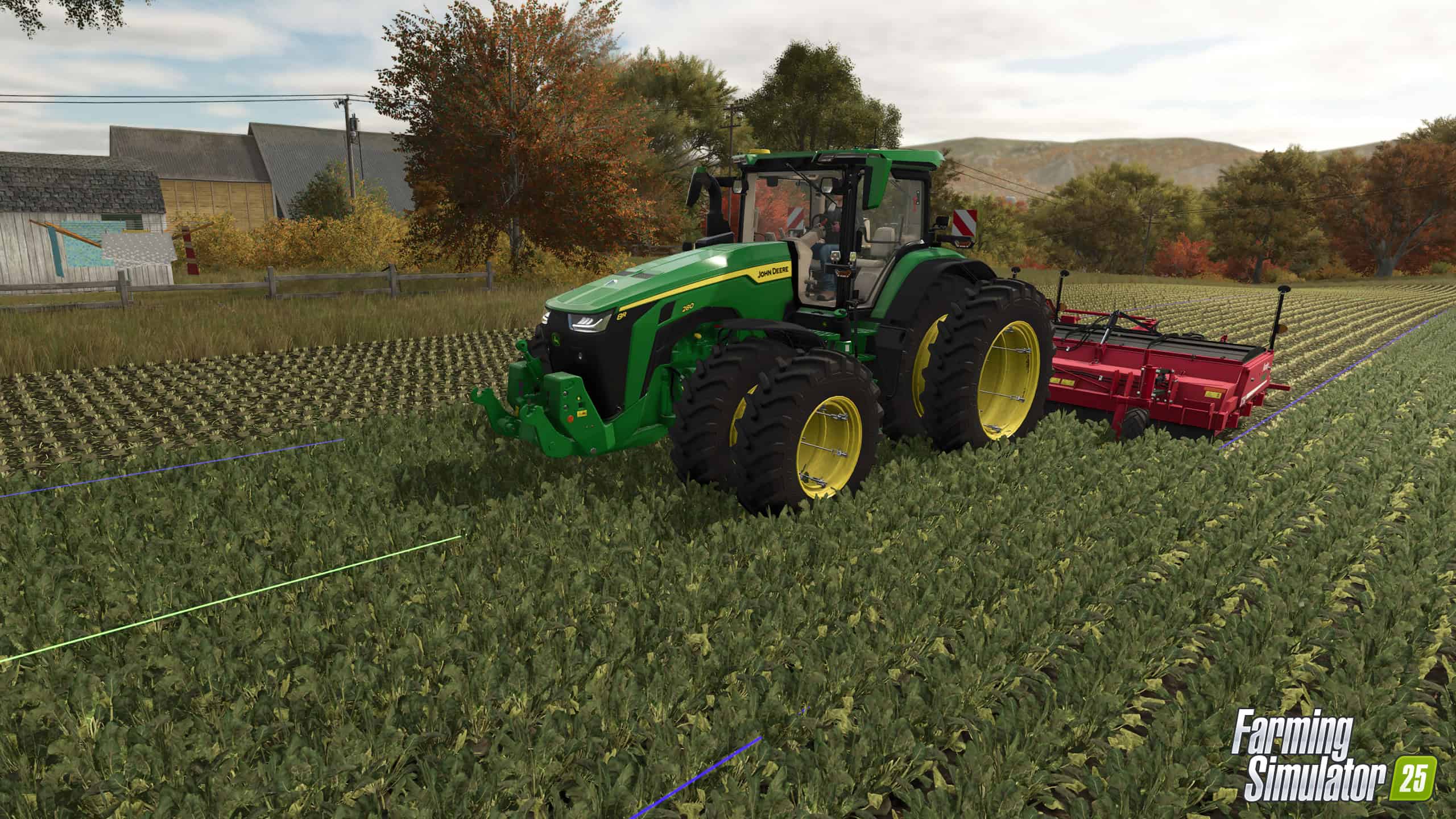
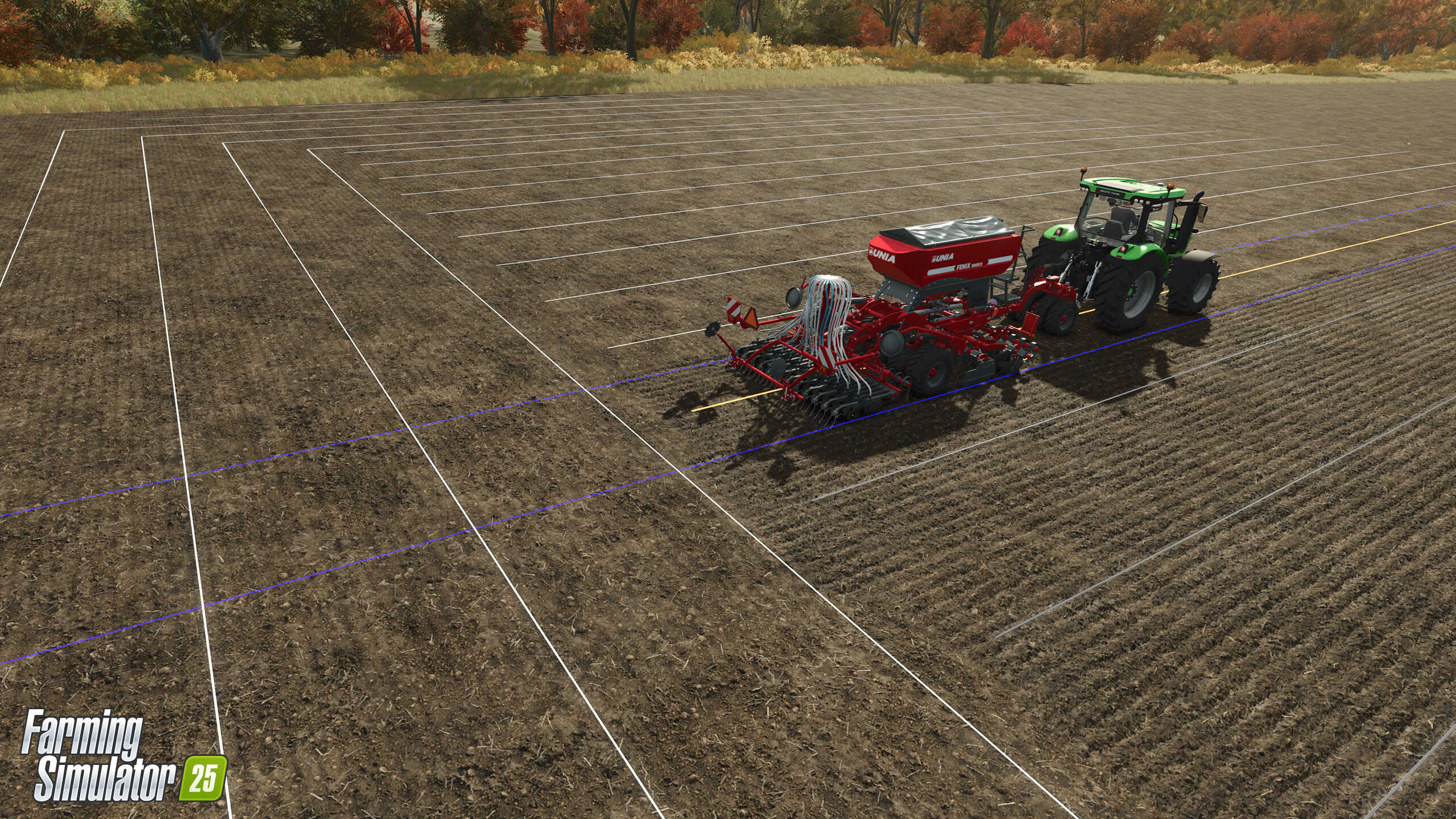
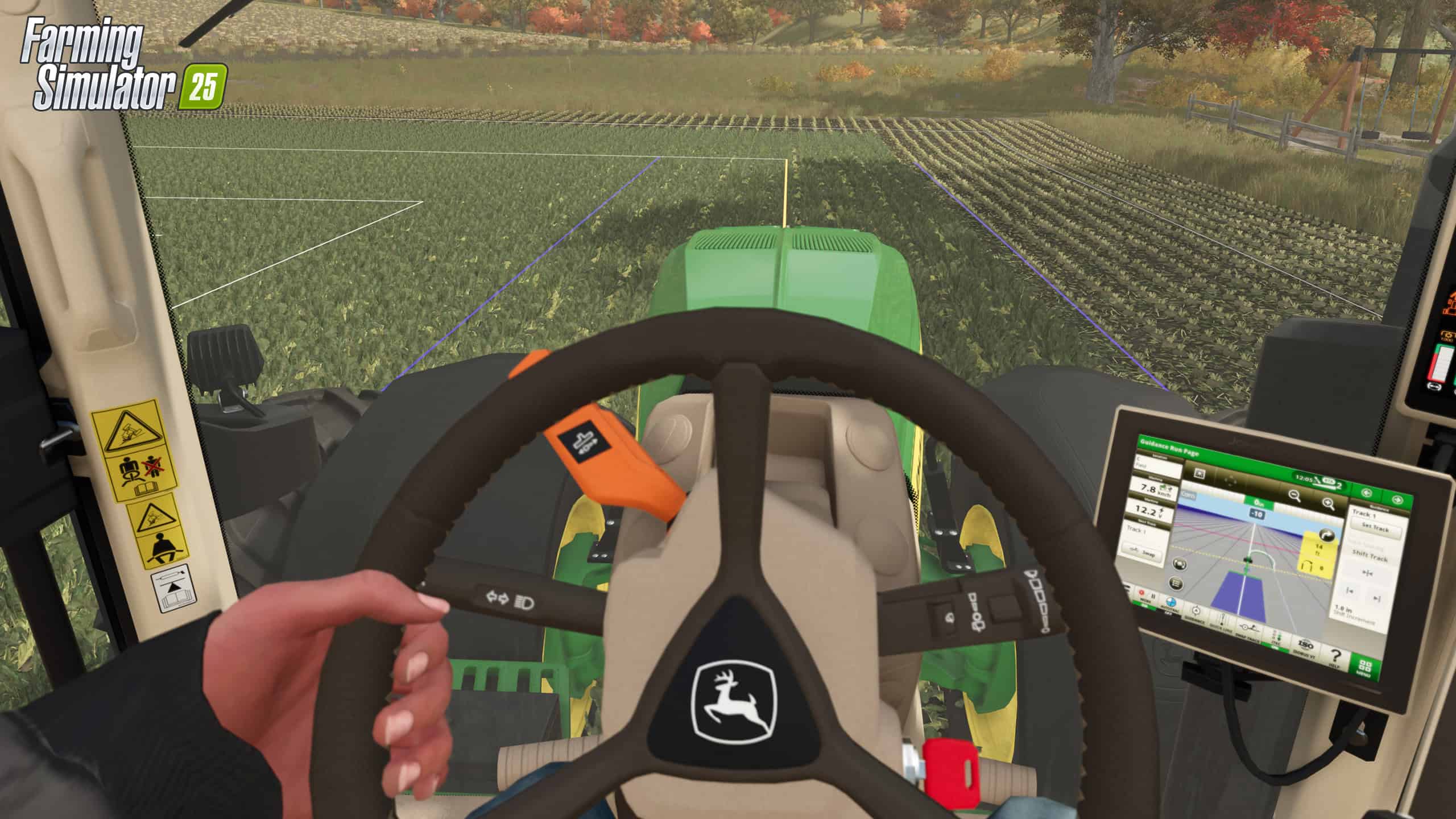
Looking for some extra hands in the field? Or perhaps, a bit of guidance. We’ve refined the AI helpers to make them more accurate and dependable, plus every vehicle now comes equipped with a GPS-driven steering assistant to help you farm smarter, not harder. But if you prefer to go old-school, that option is yours too.
Farming Simulator 25 is just days away! Pre-order now to secure the MacDon Pack! The game launches on PC, PS5, and Xbox Series X/S on November 12th.
Intelligent Helpers for Better Farming
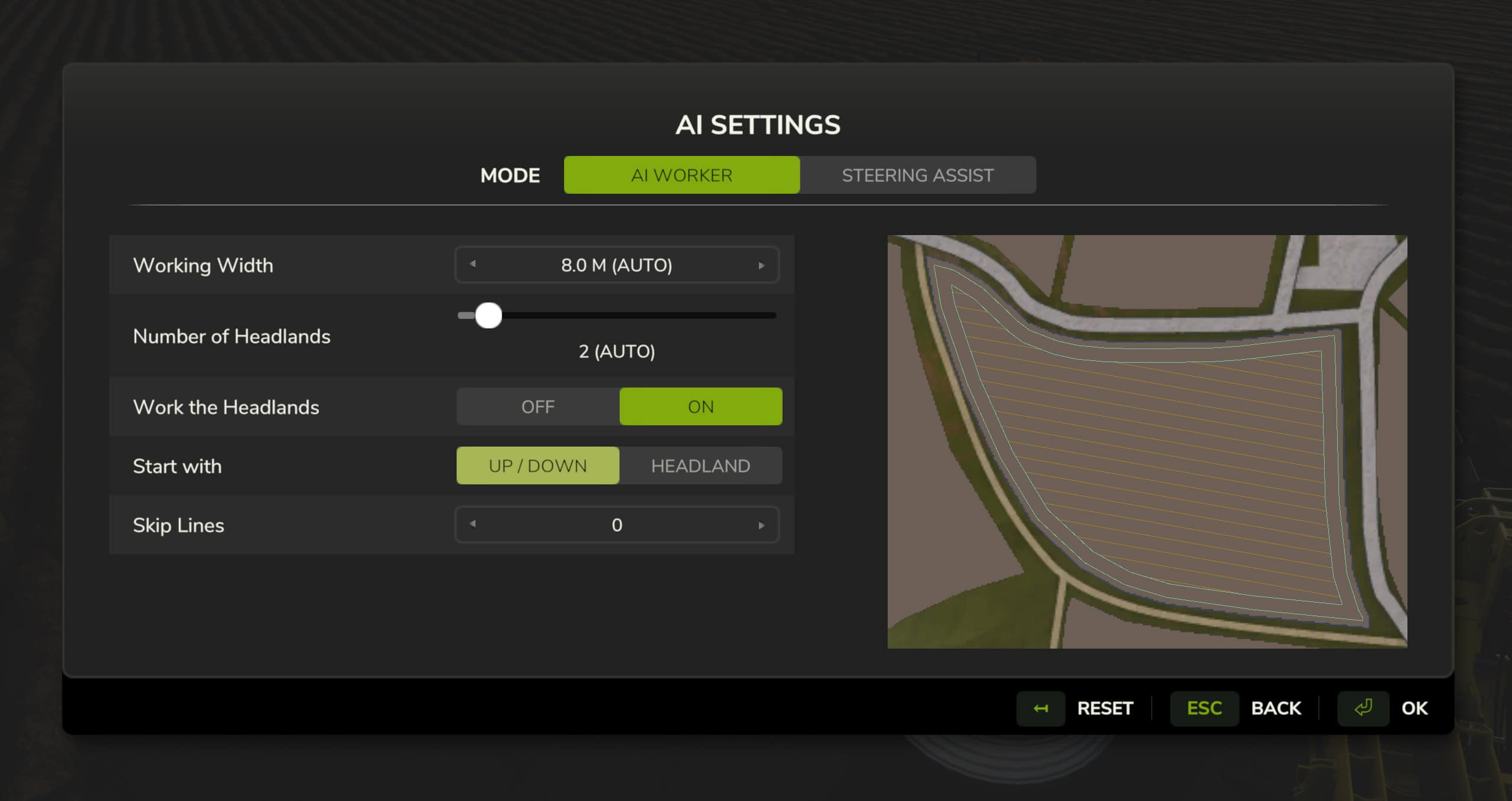
Pressing the key to activate an AI worker instantly puts a hired hand in control, just like before. However, holding the button opens up extra customization options.
The first mode, “AI Worker,” focuses on managing your virtual helper’s tasks. Preselected settings are optimized based on field size and shape, and you can preview the worker’s planned operation.
- Working Width: Adjusts automatically based on the attached tool, with customizable width if you have multiple tools, to account for overlaps.
- Number of Headlands: Configured by default based on the machine and task but can be modified as needed.
- Work the Headlands: Specifies whether the AI should treat headlands like the main field (for example, cultivating or harvesting) or reserve them as turning lanes.
- Start with: Sets whether the helper begins with the headland (ideal for tasks like harvesting to prevent crop damage) or finishes with it for tasks like plowing.
- Skip Lines: Allows the AI to leave extra space between rows, providing room for you to operate other equipment alongside.
Once the AI worker starts, they’ll select the optimal direction to operate their machines, always prioritizing work within the field’s boundaries.
Precision Steering Assistance
Prefer to operate the machinery yourself rather than hiring an AI worker? You can do that with any tractor in the game, as even older models can be retrofitted with GPS functionality. Convenient, right?
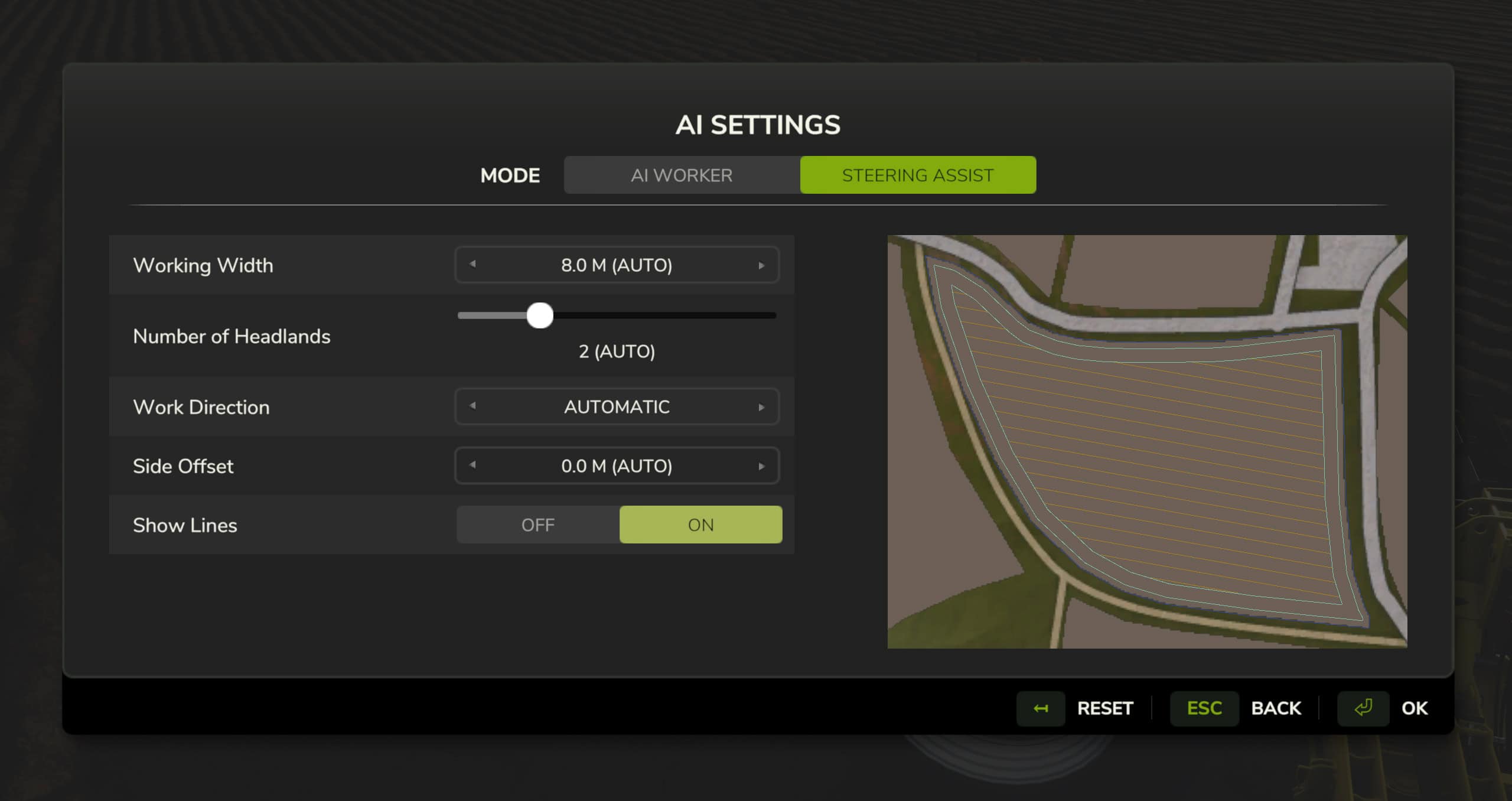
Switching from the AI Worker tab to Steering Assist opens additional settings, allowing you to customize how the steering assistant handles the field.
- Working Width: Automatically adjusts to the tools in use.
- Number of Headlands: Set by default for the selected tool but fully customizable.
- Work Direction: Can be adjusted in degrees, perfect if you want to avoid direct sunlight or follow specific angles.
- Side Offset: Modify this if you’re using tools with an offset, like certain mowers.
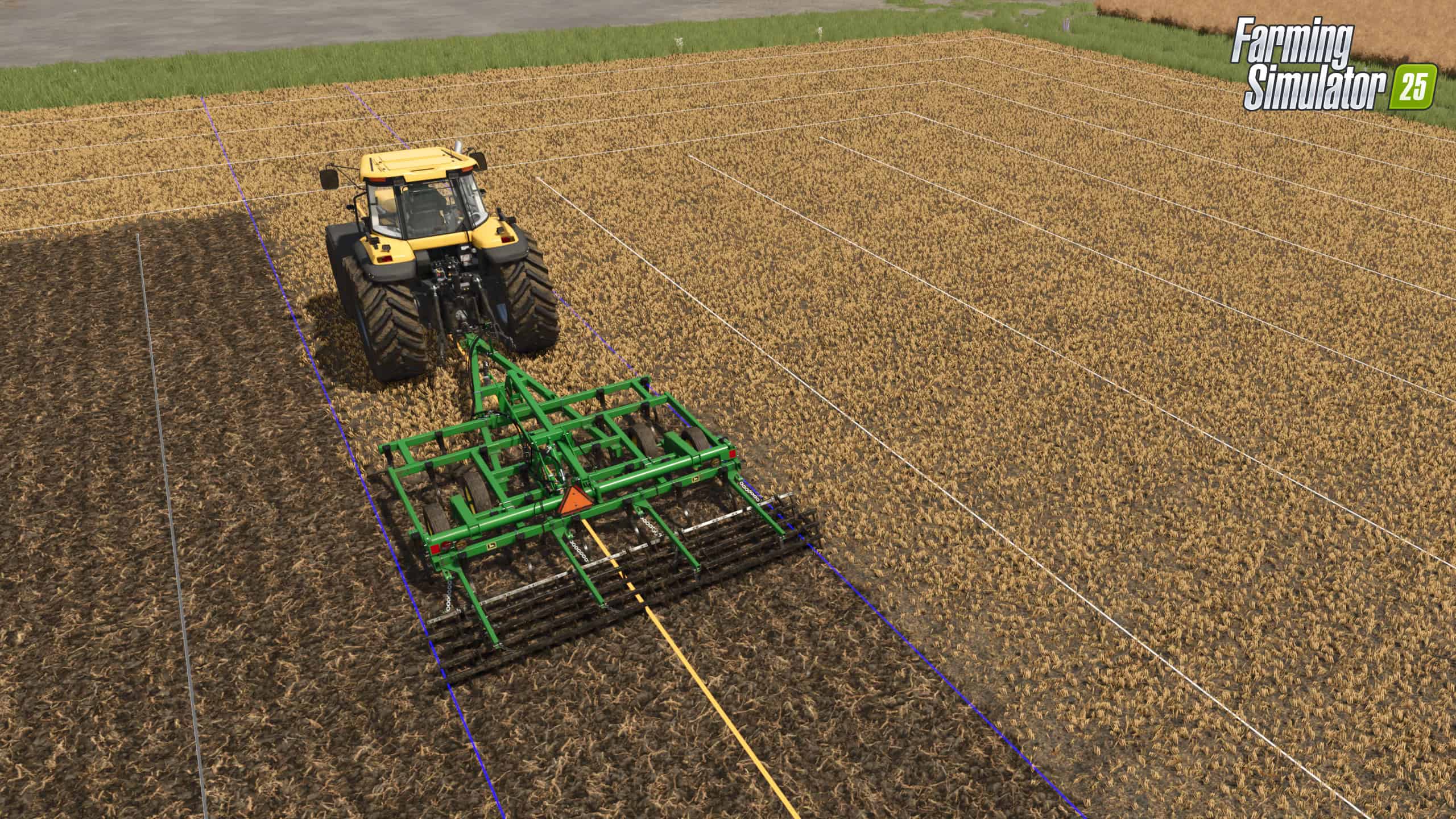
- Show Lines: Toggle 3D guidance lines on or off for enhanced visibility, whether you’re in third-person view or the cabin.
The live display of guidance lines lets you keep track of your machine’s positioning at all times. Once your machine is properly aligned with a line, a “ready” indicator will appear on the HUD dashboard, signaling you’re set to begin.
The selected line appears in orange and switches to green once you start moving. Blue lines indicate the working width of your machine, while remaining lines are shown in white. Completed lines fade to grey.
System Requirements
- Requires a 64-bit processor and operating system
- OS: Windows 10, 11 (64-bit)
- Processor: Intel Core i3-9100 / AMD Ryzen 3 3100
- Memory: 8 GB RAM
- Graphics: NVIDIA GeForce GTX 1050 Ti / AMD Radeon RX 560
- DirectX: Version 11
- Storage: 5.5 GB available space
Instructions
- Click the Download button below and you will be redirected to your chosen mirror.
- Wait 5 seconds and click on the download button. We recommend using a download manager (such as FDM) for maximum download speeds.
- Once the game is finished downloading, right click the .zip archive and click on “Extract to Exploring New GPS and AI Worker Tools in Farming Simulator 15 v1.0.zip” using 7-Zip.
- Double click inside the extracted folder and run the setup application or executable as Administrator. Enjoy playing!